
Article 4 of 4: Check Bank Transactions
Go to: Bank Transactions — https://app.gsi-tech.ai/dashboard/bank-transactions
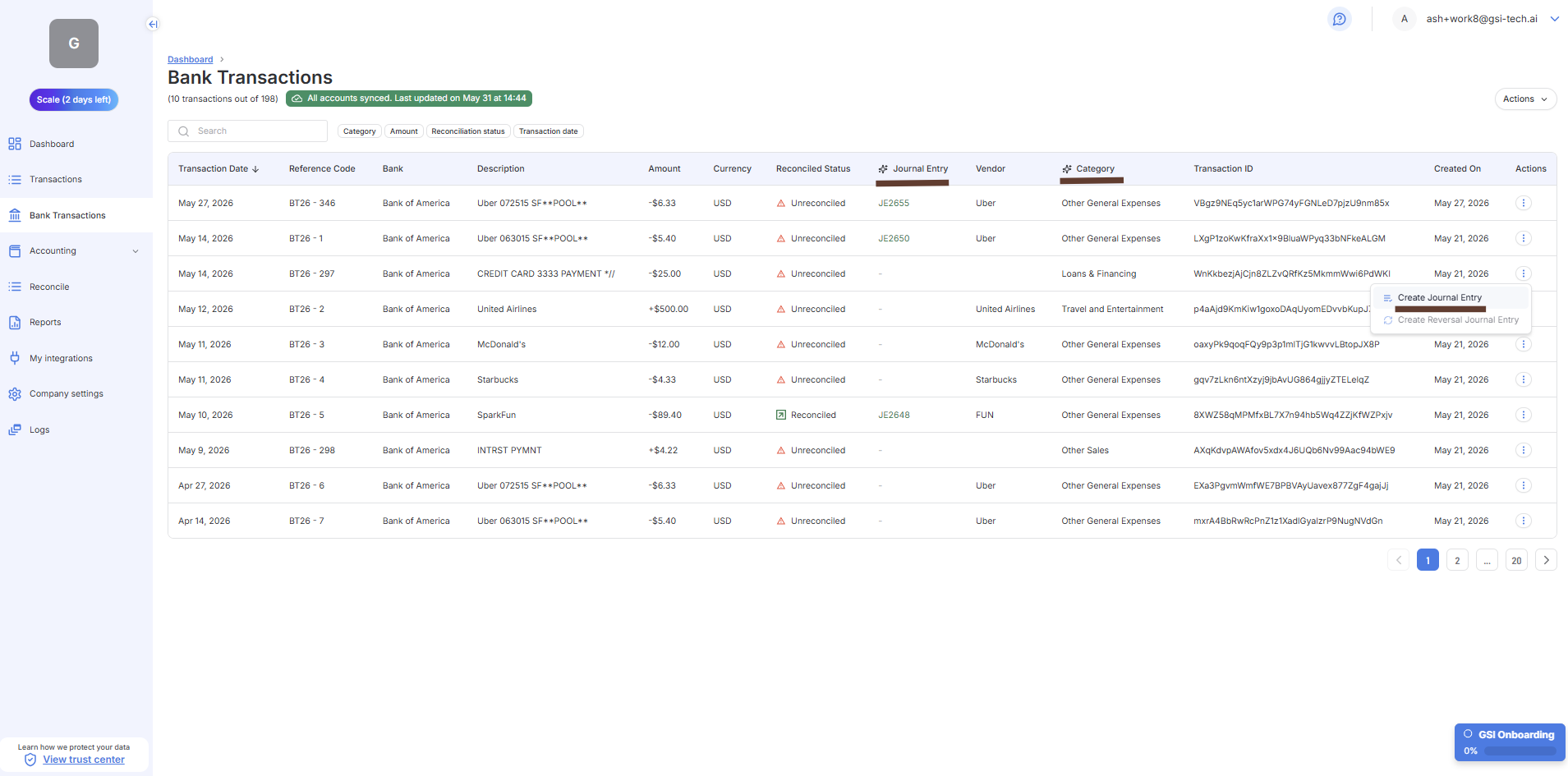
Step | What to do |
|---|---|
1. Check the Unreconciled bank transactions | Work through any bank transactions that are unreconciled. The Reconciled Status column shows their current state. Click on 'Actions", then 'Reconcile' to start the reconciliation process or go to 'Reconcile" module. |
2. Journal Entries | Once reconciled, a Journal Entry will be initiated. Only when the Journal Entry has a status of Booked will the bank transactions be visible in Reports. |
3. Confirm the categorization | Confirm the category is correct at a high level. Click the transaction to edit if needed. |
You are done for this session when:
- Action Center has no Pending items, or all bank transactions have an Accounting Status of Booked.
- New transactions are categorized correctly.
- You have reduced the Unreconciled count by working through them in the 'Reconcile' module
Last updated: 6/3/26, 8:00 PM