
4. Check Company Settings
Confirm your business name and Fiscal Year before you start working. These affect how Reports are labelled and grouped.
Go to: Company Settings — https://app.gsi-tech.ai/dashboard/company-settings
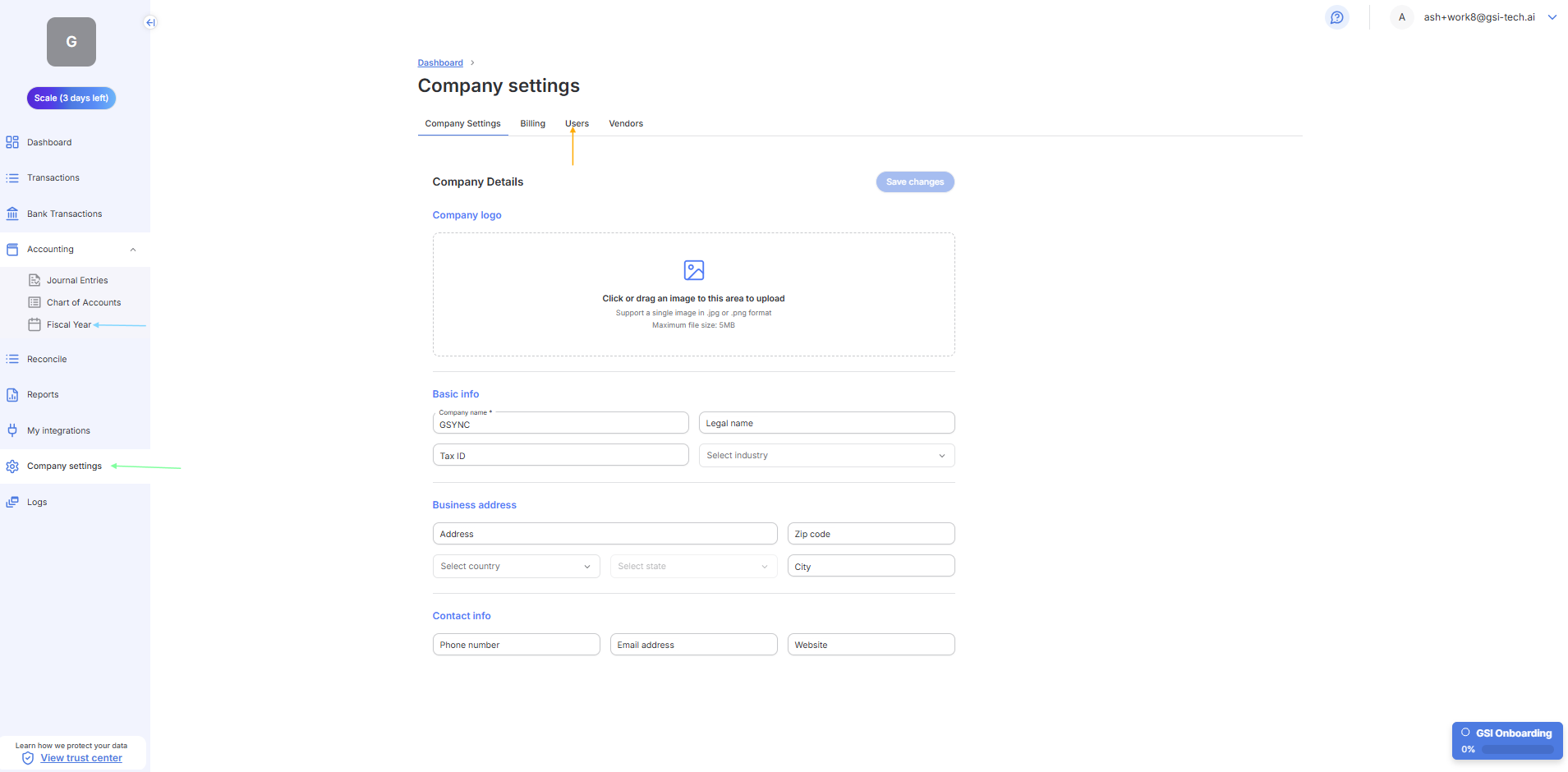
Step | What to do |
|---|---|
1. Open Company Settings | Click 'Company Settings' in the left sidebar (Green arrow in Screenshot) |
2. Confirm your business name | Check that the business name is correct. It appears on all exports and Reports. |
3. Set your Fiscal Year start month | Confirm the start month. Most businesses use January — check with your accountant if unsure - You will set your Fiscal Year from Accounting, click on Fiscal Year (See blue arrow on Screenshot) |
4. Check the Users tab | Click the 'Users' tab to see who has access. Add or remove team members as needed (See orange arrow on Screenshot) |
5. Save | Save any changes before leaving this page. |
Next → First Time Using →