
Article 4 of 5: Check Bank Transactions
Go to: Bank Transactions — https://app.gsi-tech.ai/dashboard/bank-transactions
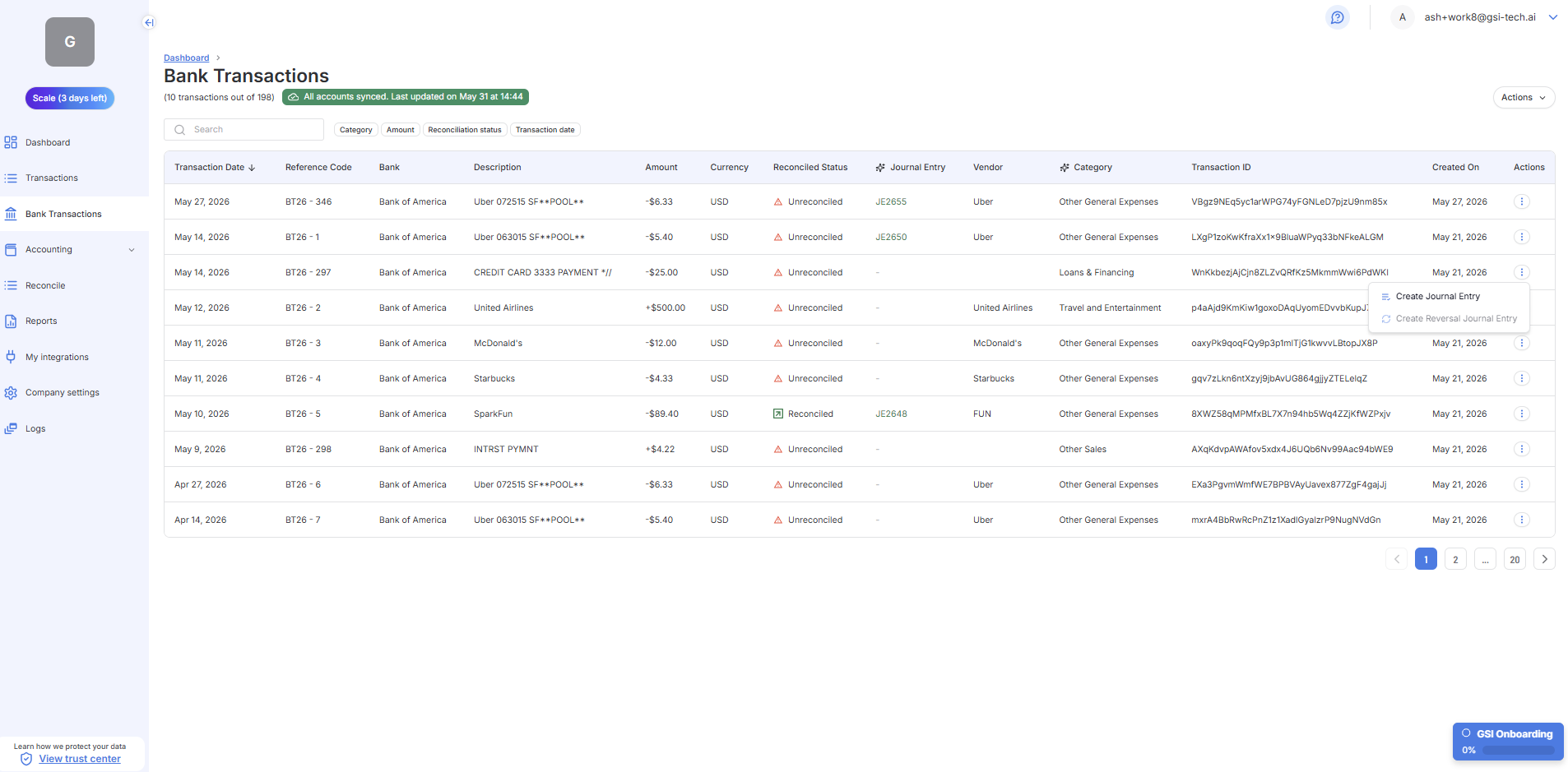
Step | What to do |
|---|---|
1. Check the Reconciled status | Look at the Reconciled Status column. Unreconciled means the bank entry has no matching book record yet. Work these down over time. |
2. Confirm Journal Entries | When a bank transaction is reconciled, a Journal Entry is automatically generated. You can also manually create a Journal Entry or reversal using the three-dot menu on each row. |
3. Confirm categorization | As bank transactions are pulled in, confirm the Category is correct. Click the transaction to edit the category if needed. |
You are done with your first session when:
- You have reviewed the Dashboard and understand what each KPI card means.
- You have worked through the Action Center and addressed all flagged items.
- You have reviewed Revenue and Expenses tabs and fixed obvious errors.
- You have started reducing the Unreconciled count in Bank Transactions.
From now on, use Updating Your Activity each time you log in.
Last updated: 6/3/26, 7:59 PM