
How GSI Works: From Transactions to Reports
⏱️ Reading time: 3 minutes
Overview
GSI combines AI automation with human review to turn your raw financial data into accurate, auditable reports. The AI handles the repetitive work — you stay in control of what gets poste
The Flow
Every financial record follows the same path:
Transactions / Bank Transactions → Reconcile → Journal Entry → Approval → Reports
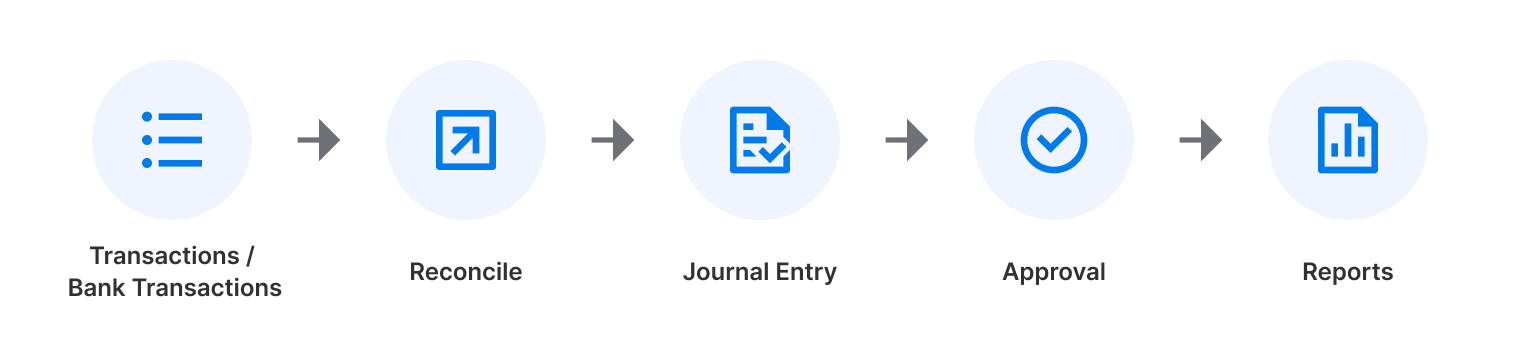
Step | What happens |
|---|---|
1. Transactions | You record a business event — manually, by import (CSV/Excel/PDF), or via bank sync. |
2. Bank Transactions | GSI syncs your bank feed via Plaid. These are the actual movements of money. |
3. Reconcile | GSI matches each transaction to the corresponding bank movement. AI suggests matches; you confirm. |
4. Journal Entry | Once reconciled, GSI generates the accounting entry (debits + credits). |
5. Approval | A reviewer approves the Journal Entry before it's finalized. |
6. Reports | Approved entries appear in the GL, Trial Balance, Balance Sheet, and P&L. |
AI Does the Work. You Stay in Control.
The AI helps by:
- Extracting data from documents (invoices, PDFs)
- Suggesting account categories
- Auto-reconciling high-confidence matches or proposing matches for review
- Generating Journal Entries automatically
You confirm:
- That extracted data matches the source document
- That categories are correct
- That reconciliation matches are accurate
- That Journal Entries are correct before approving
⚠️ Important: If the AI is not confident, it flags the item for manual review. Nothing posts without human sign-off.
When Does Data Appear in Reports?
Only approved Journal Entries show up in your reports. Everything else is still in progress.
Stage | In Reports? |
|---|---|
Transaction created | ❌ |
Transaction reconciled | ❌ |
Journal Entry created | ❌ |
Journal Entry approved | ✅ |
If something looks missing in a report, the first question is: has this transaction been reconciled and its Journal Entry approved?
Key Takeaways
- GSI is a linear flow — each step builds on the previous one
- The AI automates, but a human must confirm before anything is finalized
- Only approved Journal Entries affect your reports
Related Articles
- A0.2 User Roles & Permissions (Admin vs Member)
- A0.3 Glossary: Key Terms & Statuses
- A4. Reconcile
- A5. Journal Entries
- A6. Reports